
Complete control over your EV charging, right in your pocket
Download the app that turns your portable charger into a smart device for the future.
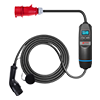
Owning an electric vehicle today means much more than simply plugging in and charging. Modern drivers want to keep track of energy consumption, schedule charging based on electricity tariffs, control their charger remotely, and have everything in one convenient app. That is exactly what the SECTRON NEXUS mobile app delivers — a smart companion to the SECTRON NEXUS portable charger that turns everyday charging into a fully managed and transparent service.
The app is available as a free download on Google Play and the App Store. Once paired with the charger via Bluetooth or Wi-Fi, it becomes your everyday guide to electromobility.
How does the app connect to the charger?
The SECTRON NEXUS app communicates with the physical hardware in two ways:
Bluetooth – instant pairing, no configuration required
When using it for the first time, simply turn on Bluetooth on your phone, open the app, and pair the charger. A Bluetooth connection is ideal for direct on-site control — at home, in the garage, or in a parking area. No Wi-Fi network, no router, no password needed. Just open the app and the charger is ready.
Wi-Fi – remote control from anywhere in the world
Once you connect the charger to your home or company Wi-Fi network for the first time, with setup done directly in the app in a simple and intuitive way, you gain full remote access — from work, from holiday, or from the other side of the world. Wi-Fi is also used for communication with the OCPP platform and for real-time data synchronization.
What exactly do you get on your phone?
A complete overview of the features
1. Start and stop charging remotely
Did you forget to start charging before leaving home? Or do you need to stop charging because your plans have changed? With the SECTRON NEXUS app, you can do it with a single tap — anytime and from anywhere. No keys, no physical buttons, no need to return home.
2. Set the charging power exactly to your needs
The app allows smooth adjustment of the charging current from 6 A to 32 A in 1 A steps. Why does that matter?
- Do you have an older electrical installation or a lower-rated circuit breaker? Reduce the current and charge safely without the risk of outages.
- Are you sharing the connection with other appliances such as an induction hob, washing machine, or water heater? Set a lower current and prevent overloading the grid.
- Do you want to charge as quickly as possible? Set the maximum and use the full power of the charger.
This feature is especially valuable for users in apartment buildings, older family houses, or when charging via an extension cable during trips or holidays.
3. Smart charging schedules – make the most of off-peak tariffs
One of the most valuable features of the app is the ability to set up to 3 independent charging schedules. Each schedule lets you:
- Choose the charging start and end time
- Set specific days of the week, from Monday to Sunday, in any combination
- Optionally enable automatic stop after the set time has elapsed, or let the charger continue until the battery is fully charged
A practical example: you set a schedule for every weekday from 10:00 PM to 6:00 AM — exactly when electricity is cheapest. In the morning, you get into a fully charged car, while keeping your electricity costs under control. Your weekend schedule can be different — for example, morning charging while you are at home. You set it once, and the app takes care of the rest automatically.
4. Consumption overview and charging history
The app gives you detailed statistics for every charging session:
- Energy consumed in kWh
- Total charging time
- Charging date and time
- Real-time charging power and current
With the charging history, storing up to 30 records, you get a precise overview of how much energy your vehicle has used and can easily track the running costs of your EV. For business users, this is an invaluable tool for recording and billing the charging of company vehicles.
5. Security and authorization – the charger works only for you
SECTRON NEXUS offers three authorization methods that can be used separately or combined:
- Mobile app – unlock and start charging directly from your phone
- RFID card – quick authorization by tapping a card or chip, with support for up to 6 cards managed via the app
- PIN code – a four-digit code entered directly on the charger display
Without authorization, the charger will not charge. This is a major advantage, especially when the charger is used in places accessible to multiple people — such as apartment buildings, company parking lots, or rental properties. No one else can use your charger without your knowledge.
6. Wi-Fi and OCPP configuration directly in the app
Network settings and OCPP protocol parameters are configured directly in the app — simply and without the need to access the charger’s technical menu. From the comfort of your phone, you can set:
- Wi-Fi network name and password
- Static IP address, for corporate networks using fixed addressing
- ChargeID and OCPP server URL for connection to the SECTRON EMA platform
This feature is essential for professional deployment of the charger within company infrastructure or a public charging network.
7. RFID card management directly from your phone
Through the app, you can conveniently add, activate, or deactivate RFID cards for authorized users, with support for up to 6 cards. This is ideal for families with multiple drivers or small businesses where several employees share one charger. Each card can also be remotely blocked at any time — for example, if it is lost or if an employee leaves the company.
8. Real-time diagnostics and fault notifications
The app immediately alerts you if the charger detects any issue, such as:
- Overvoltage or undervoltage in the grid
- Current leakage (RCMU fault)
- Overheating of the charger or plug
- A problem with the connector or the vehicle
- Short circuit or overload
Each fault notification is accompanied by a clear description and guidance on how to resolve it — no cryptic codes, no searching through the manual. You know immediately what is happening and what needs to be done.
App + hardware + platform = a complete ecosystem
The SECTRON NEXUS app is not just an add-on to the charger — it is the central brain of the entire system. And thanks to support for the OCPP 1.6-J protocol, this system can be expanded to a professional level through integration with the SECTRON EMA platform.
What does that mean in practice? Your portable charger can become part of a centrally managed charging network with:
- Online monitoring and reporting
- Management of multiple chargers and multiple users from one place
- A payment gateway for customers
- Dynamic load management
- Compliance with legislative requirements for public charging
Who is the SECTRON NEXUS app for?
| User | Main benefit of the app |
|---|---|
| Home user | Charging schedule planning for off-peak tariffs, consumption overview, remote control |
| Family with multiple drivers | RFID card management, shared charger with access control |
| Company / fleet manager | Charging records, billing, integration with SECTRON EMA |
| Hotel / guesthouse | Guest authorization, usage overview, no construction work required |
| Professional operator | OCPP configuration, payment gateway integration, centralized management |
Summary – what do you get on your phone when you download the SECTRON NEXUS app?
- Remote charger control from anywhere via Wi-Fi
- Instant on-site control via Bluetooth
- Charging power adjustment exactly to your needs
- Smart scheduling with up to 3 daily plans
- Charging statistics and history for consumption and cost overview
- Access management with RFID cards, PIN, and app authorization
- Real-time diagnostics with instant fault alerts
- Wi-Fi and OCPP configuration for professional deployment
- A gateway to the SECTRON EMA platform — for those who want more